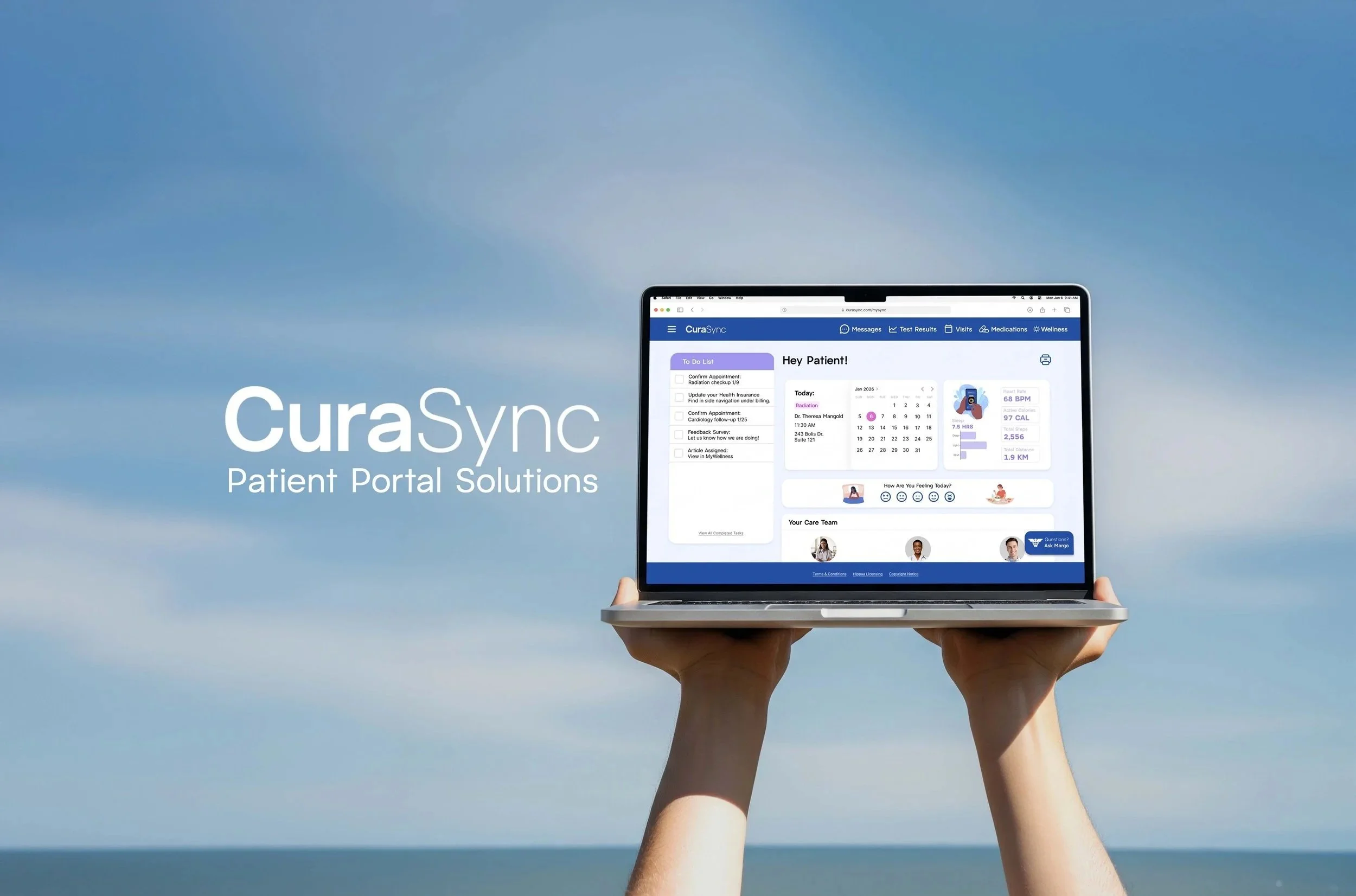
CuraSync Health Portal
Patient portals are important aspects of healthcare, and yet they can be some of the most frustrating interfaces to interact with. For my senior thesis project, I decided to create a wellness centered healthcare patient portal named CuraSync.
To view my full case study, click here.
UX/UI, User Research, AI
Everything in One Place
Wellness apps are all the rage right now. But what if a patient portal could also have the functionality of a wellness app, along with all relevant patient health information straight from a doctor?
My mission was not only to create an improved patient portal user experience but also take a more well-rounded approach to patient care by providing additional wellness resources.
Problem:
Wellness resource accessibility is lacking in most patient portals. This creates. These portals are supposed to be your hub for all the health information you may need, so they need additional wellness resources available for patients.
People who are suffering from serious or chronic illnesses/conditions also use their health portal more than the average person, so the sterile medical interface in many portals is not suitable for frequent use.
Strategy:
A more intuitive information display is needed so that patients can not only find pages quicker, but additional wellness resources should be advertised to them, so it’s hard to miss. I also wanted to include an AI element to help patients access and understand information quicker.
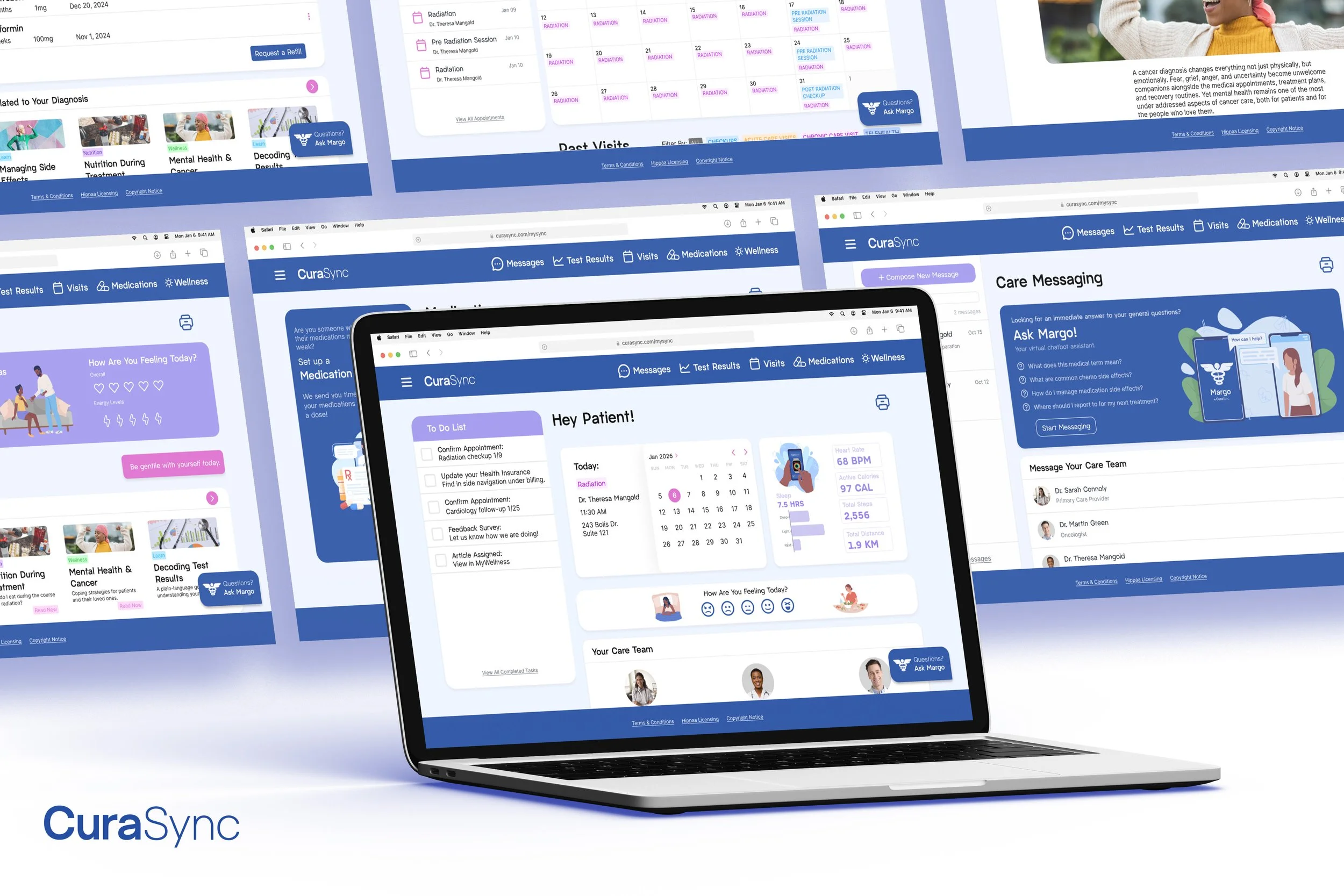
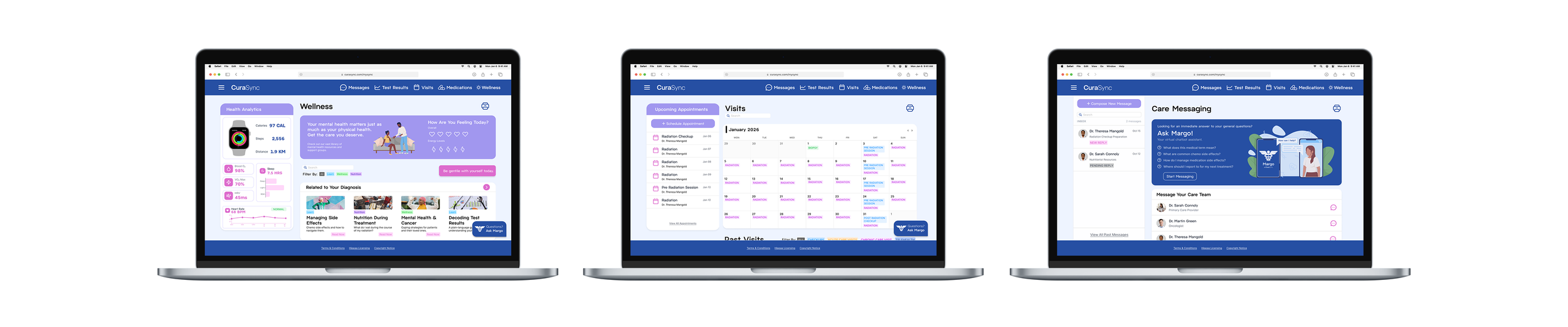
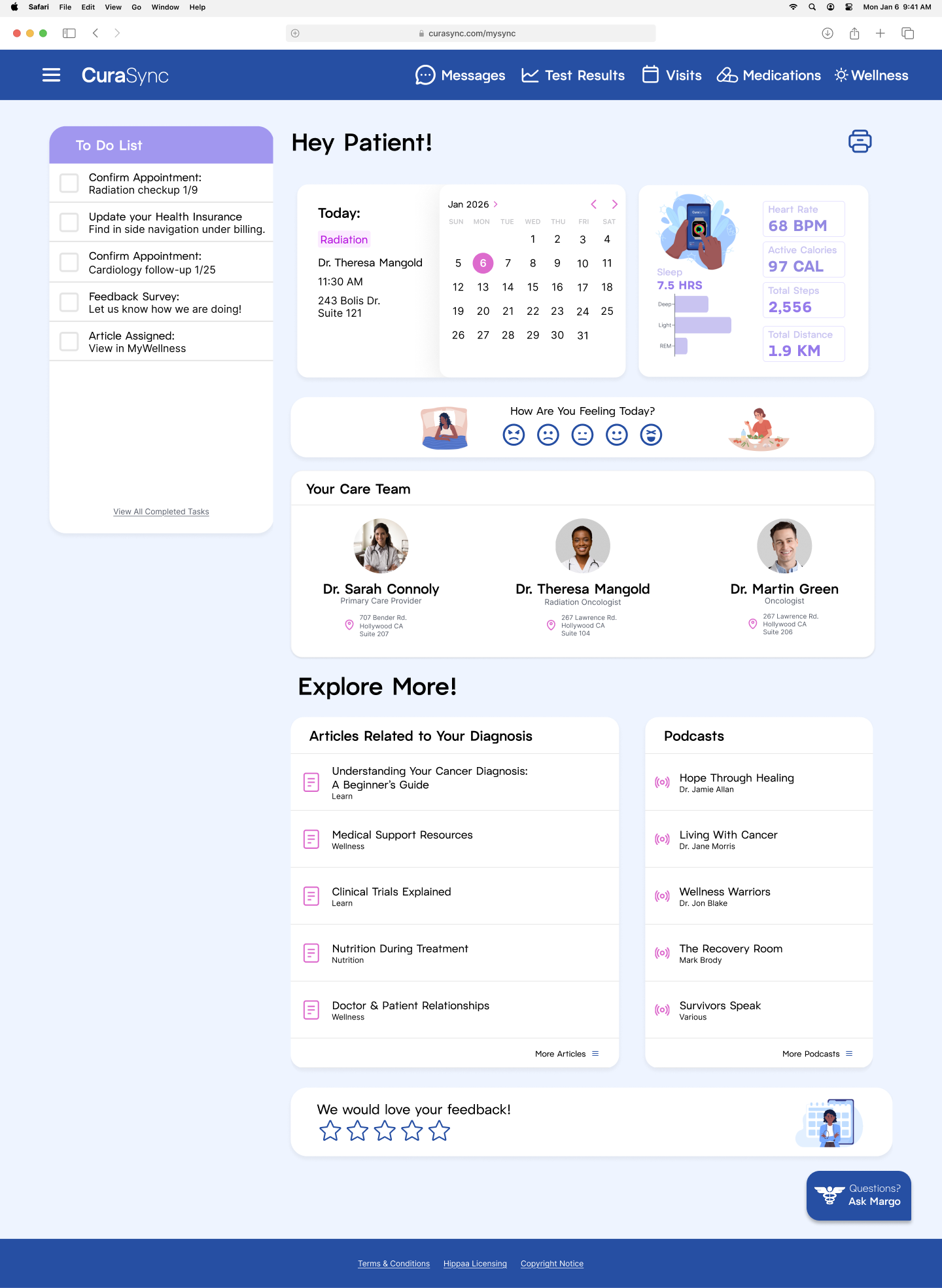
Final Pages
User Research
What is Wellness?
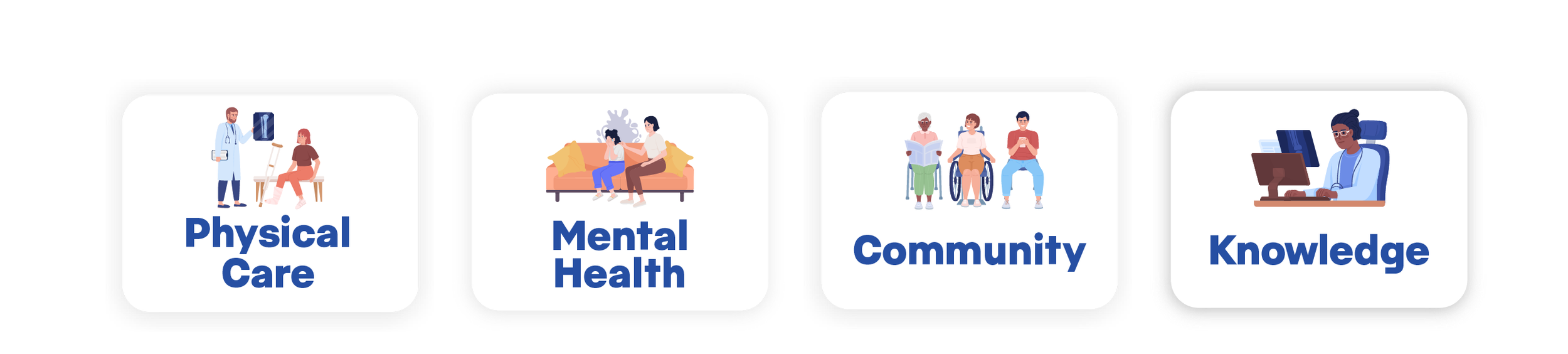
Most patient portals use the word wellness once or twice when describing their mission in creating their product. But wellness is a pretty broad term. I broke down my perception of wellness into foundational concepts to guide me when creating my portal. These were:
Competitive Analysis
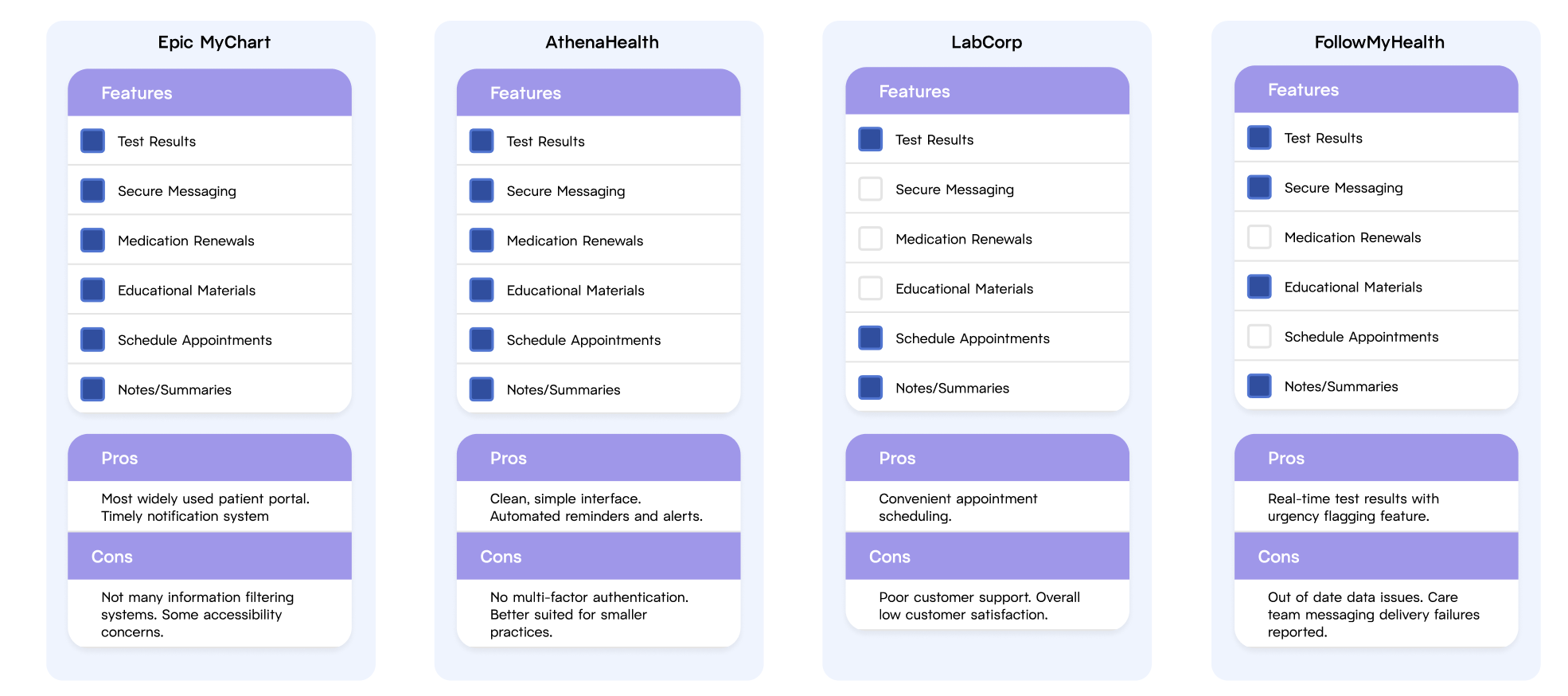
Through my competitive analysis, I found that the dominant patient portal competitor is MyChart by Epic, with other competitors including AthenaHealth and Healow.
The main patient portal features include medication renewals, schedule appointments, educational materials, test results, secure messaging, and notes/summaries.
The patient portal’s main job is to provide important information to you in an accessible, easy to understand way. In some respects, they are successful in doing this. For example, MyChart’s nav bar provides all the main information categories that most patients would need.
On the other hand, too much information can be overwhelming, and many patient portals lack features that help users digest and filter for quicker and more effective navigation.
User Survey
Who did you focus your survey on?
Anyone who had a patient portal tied to a primary care provider
People who had been diagnosed with serious illnesses/conditions at some point in their life
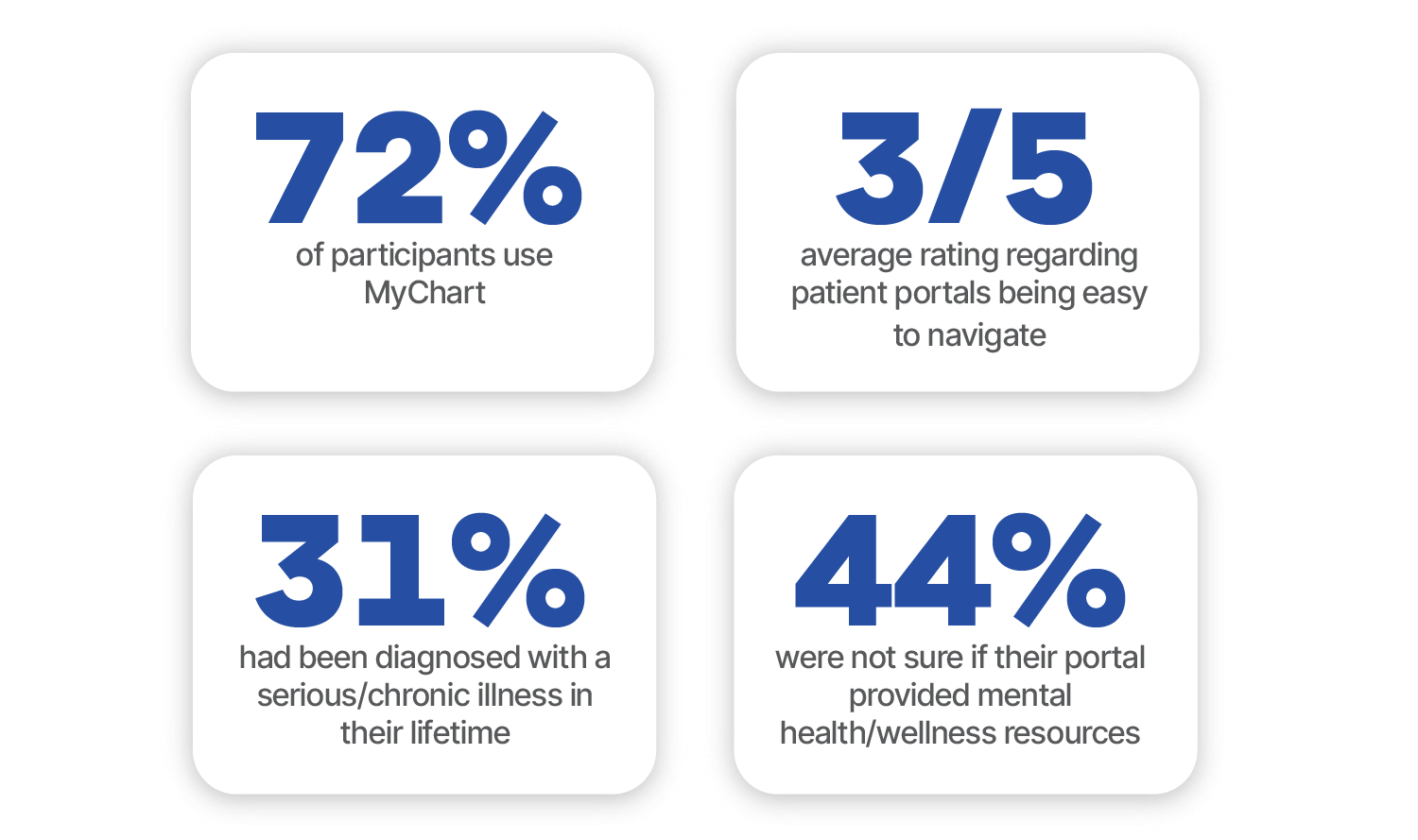
Survey Feedback Stats
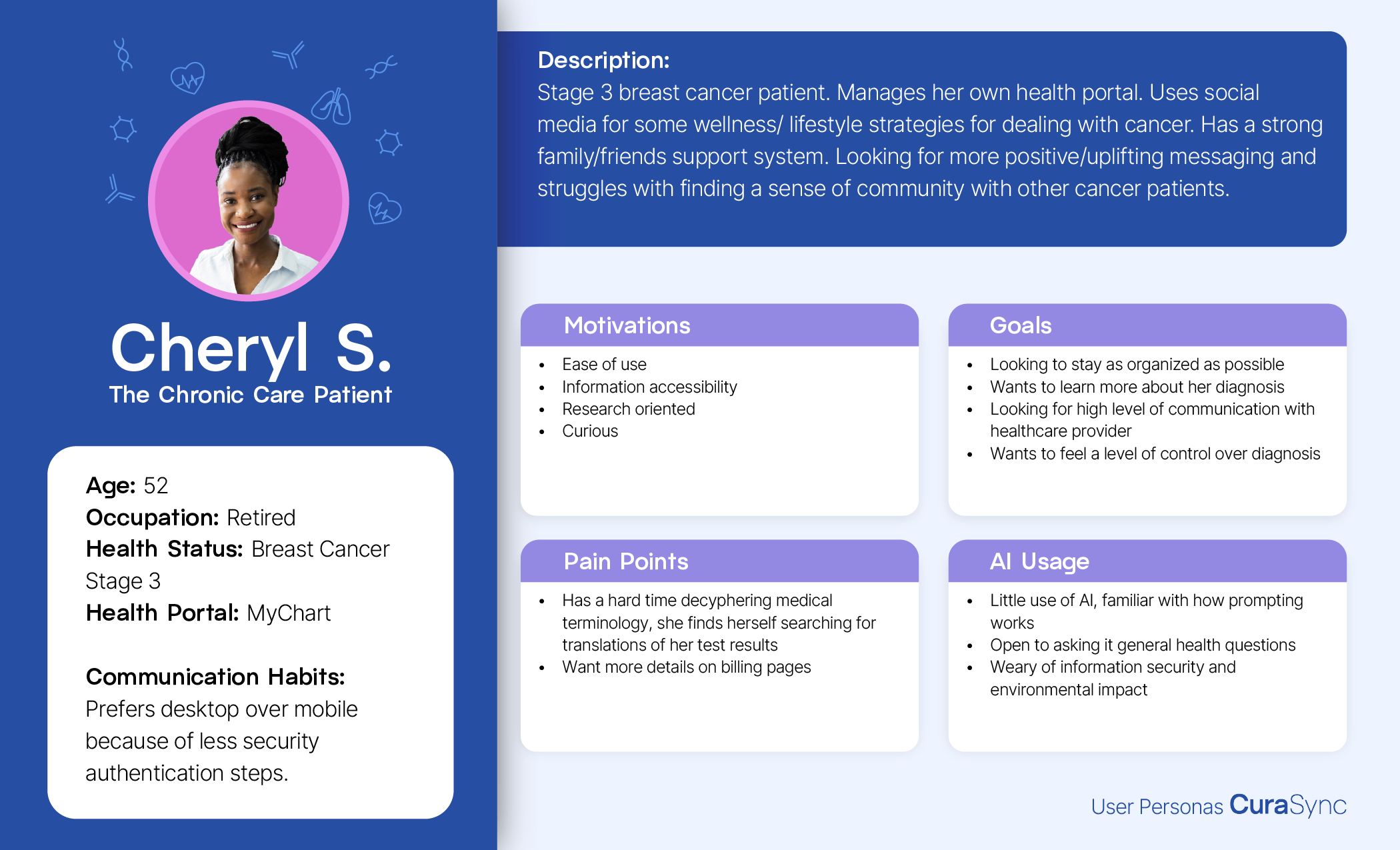
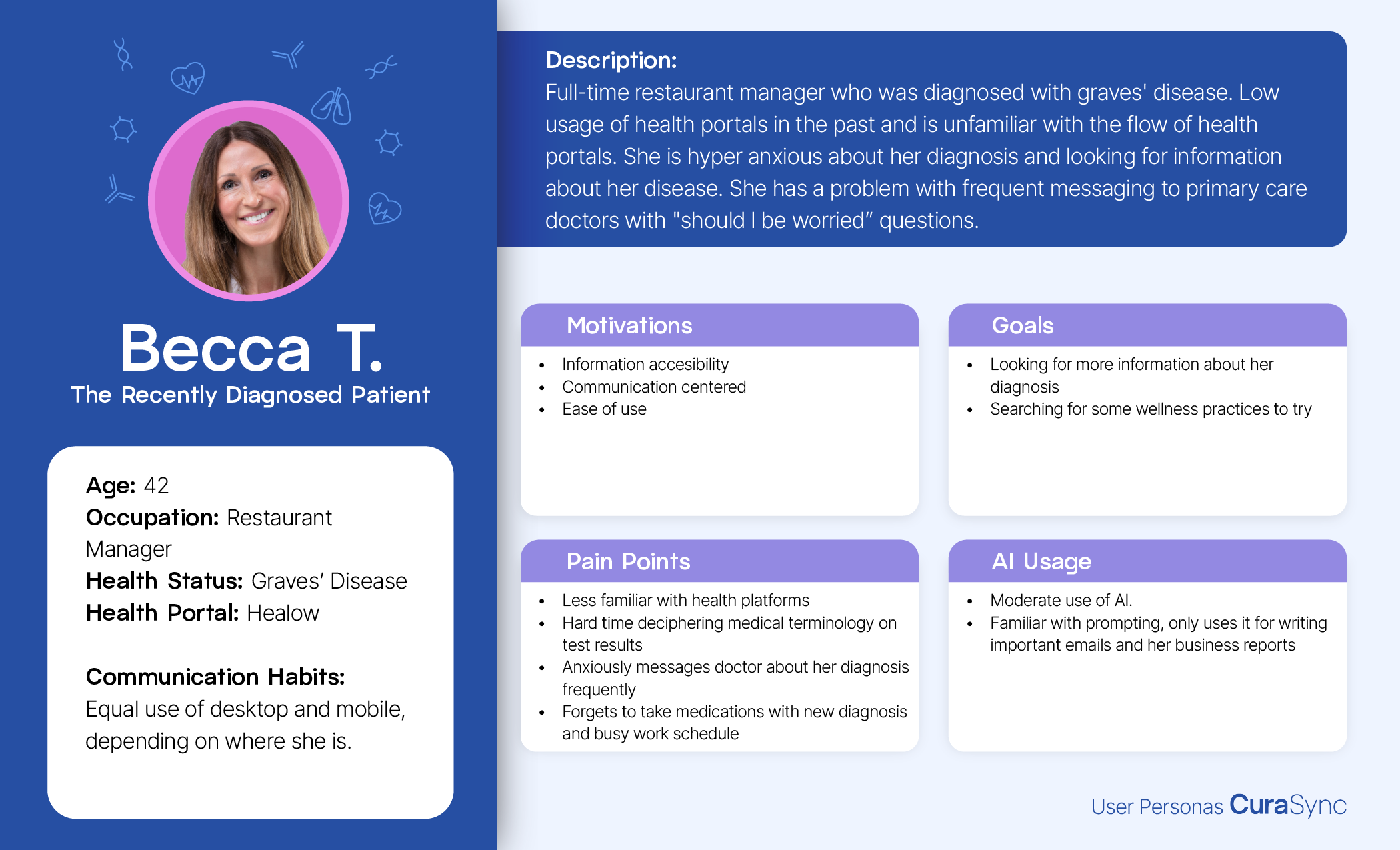
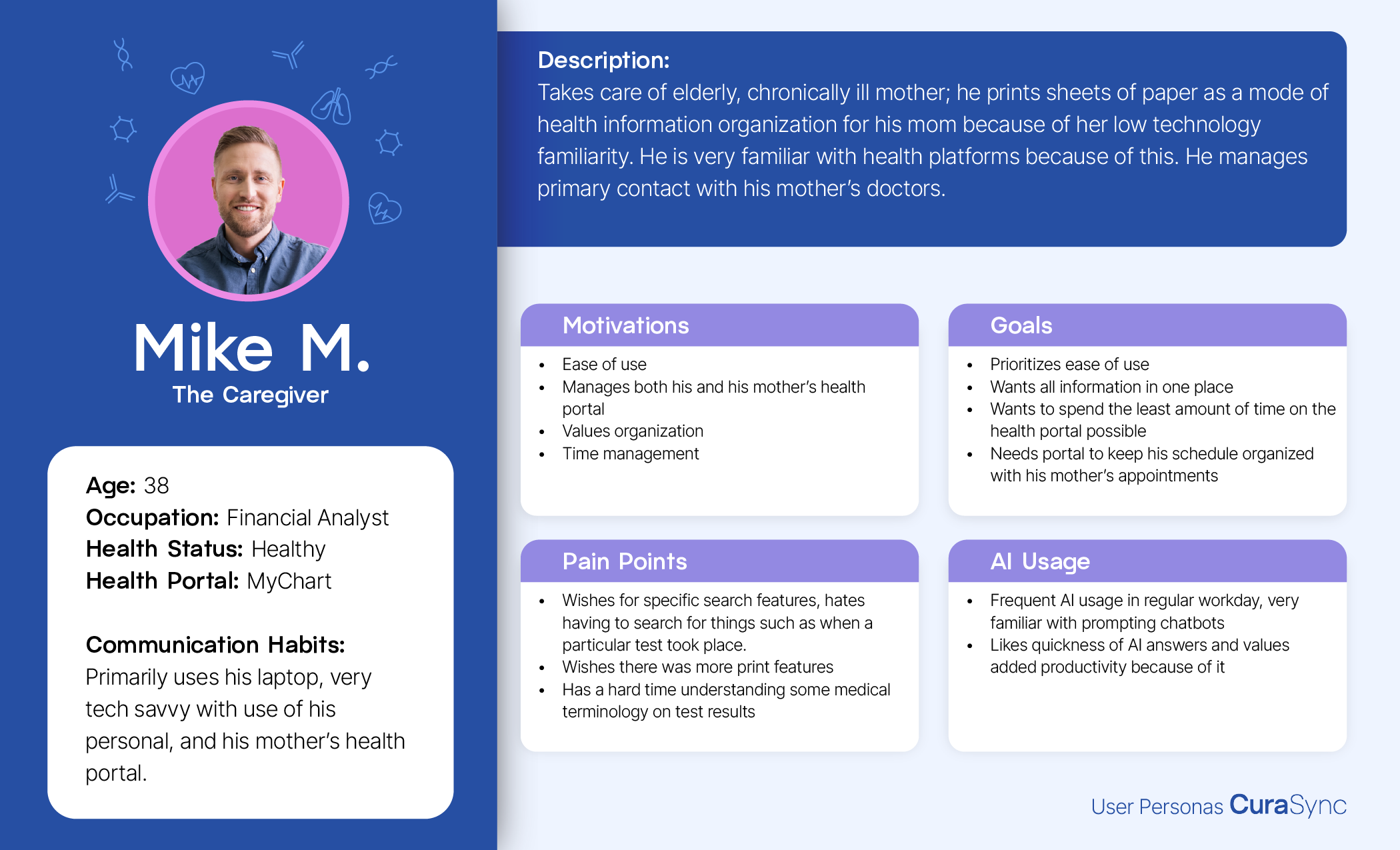
User Personas
AI Exploration
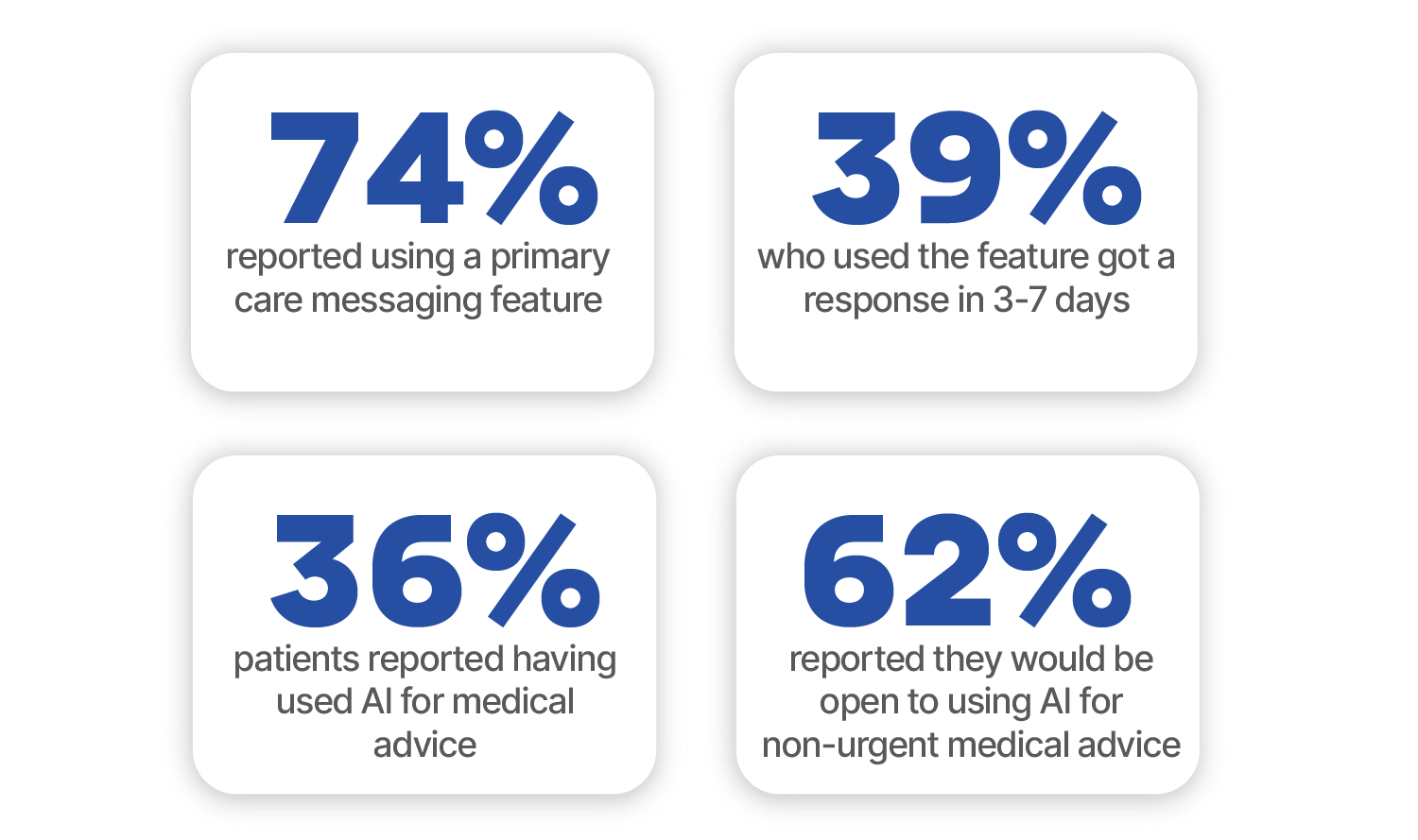
User Survey Findings: AI Stats
AI Implementation
I did a lot of research on how to properly use AI in a healthcare setting and curated my design decisions based on the following guiding principles:
Keep it Low Stakes
Like all care team messaging, AI chatbots are for non-emergencies only. Also reminding patients that chatbots are not registered doctors and cannot give a true medical diagnosis is very important.
Medical history, the patient’s environment, and mental health are all factors that could impact a medical outcome. If a patient is looking for medical information, it is wise to disclose background information for the best possible response.
Give Context
Medical history, the patient’s environment, and mental health are all It is important to remember that AI prompting comes with a learning curve and some factors to keep in mind. For example, chatbots have a tendency to validate the prompter. Which can be problematic if the patient asks the chatbot leading questions. Instead it is best practice to ask open ended, general questions to the chatbot.
Productive Prompting
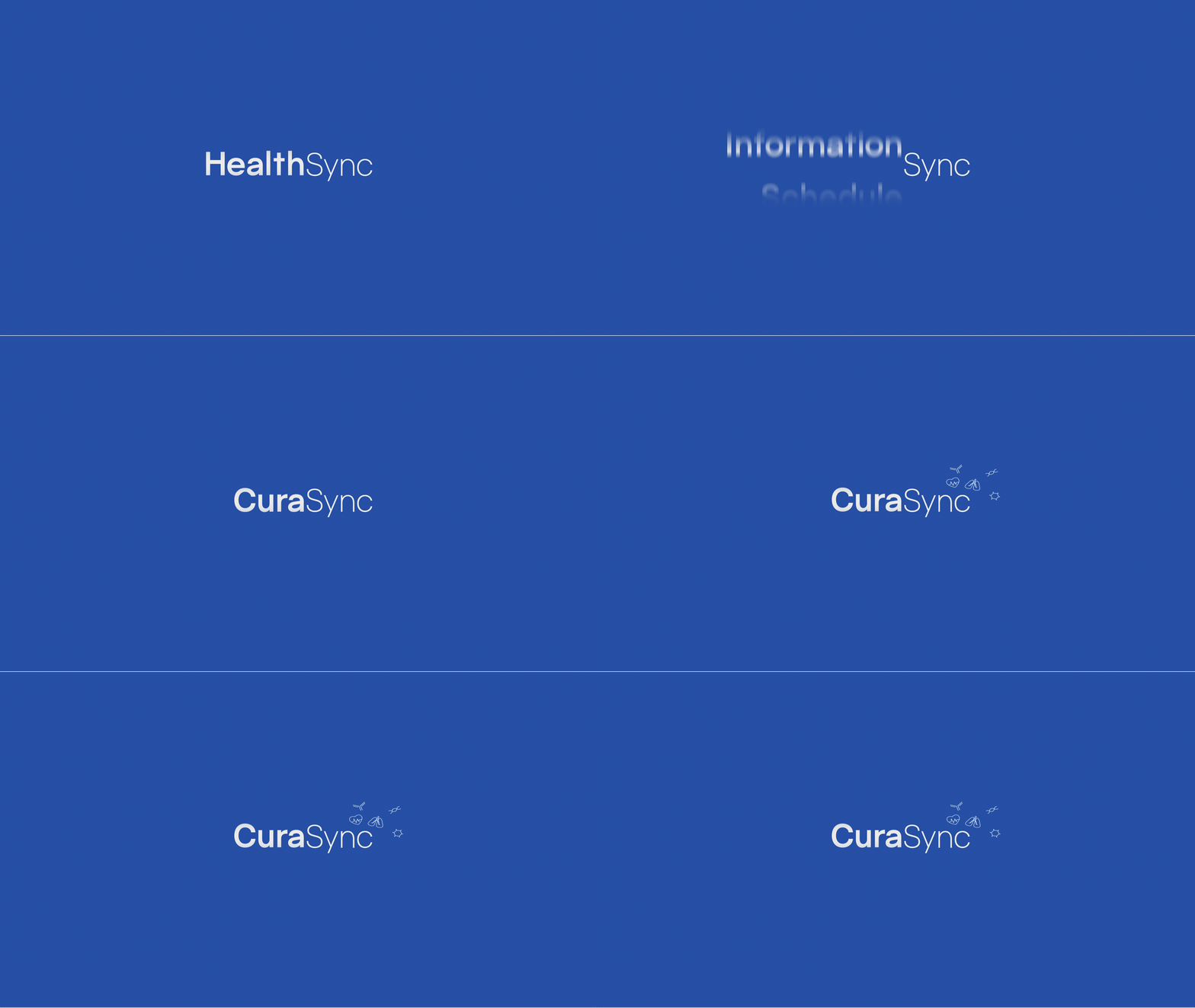
Creating CuraSync
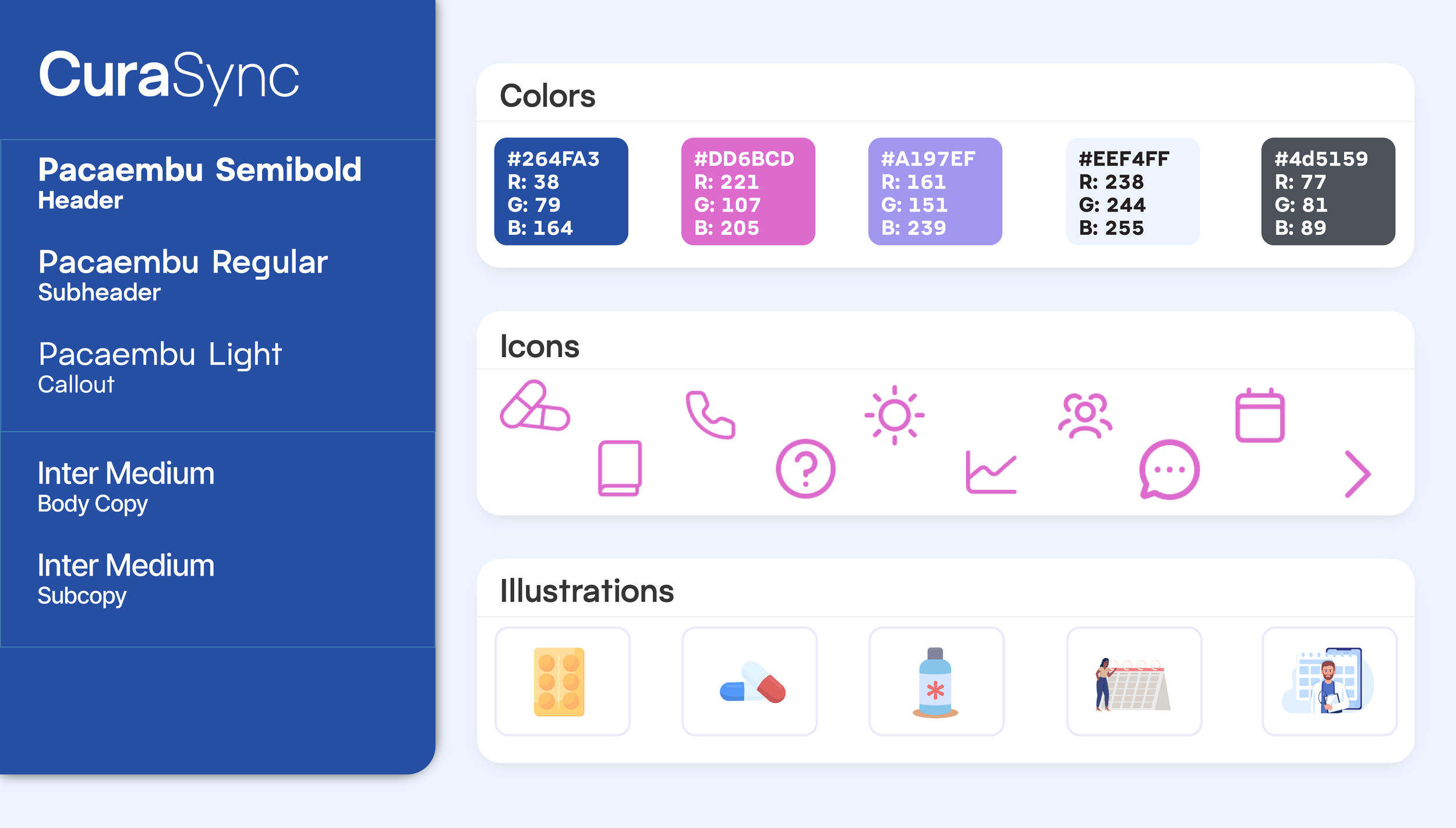
Illustrations by AdobeStock
Website Building
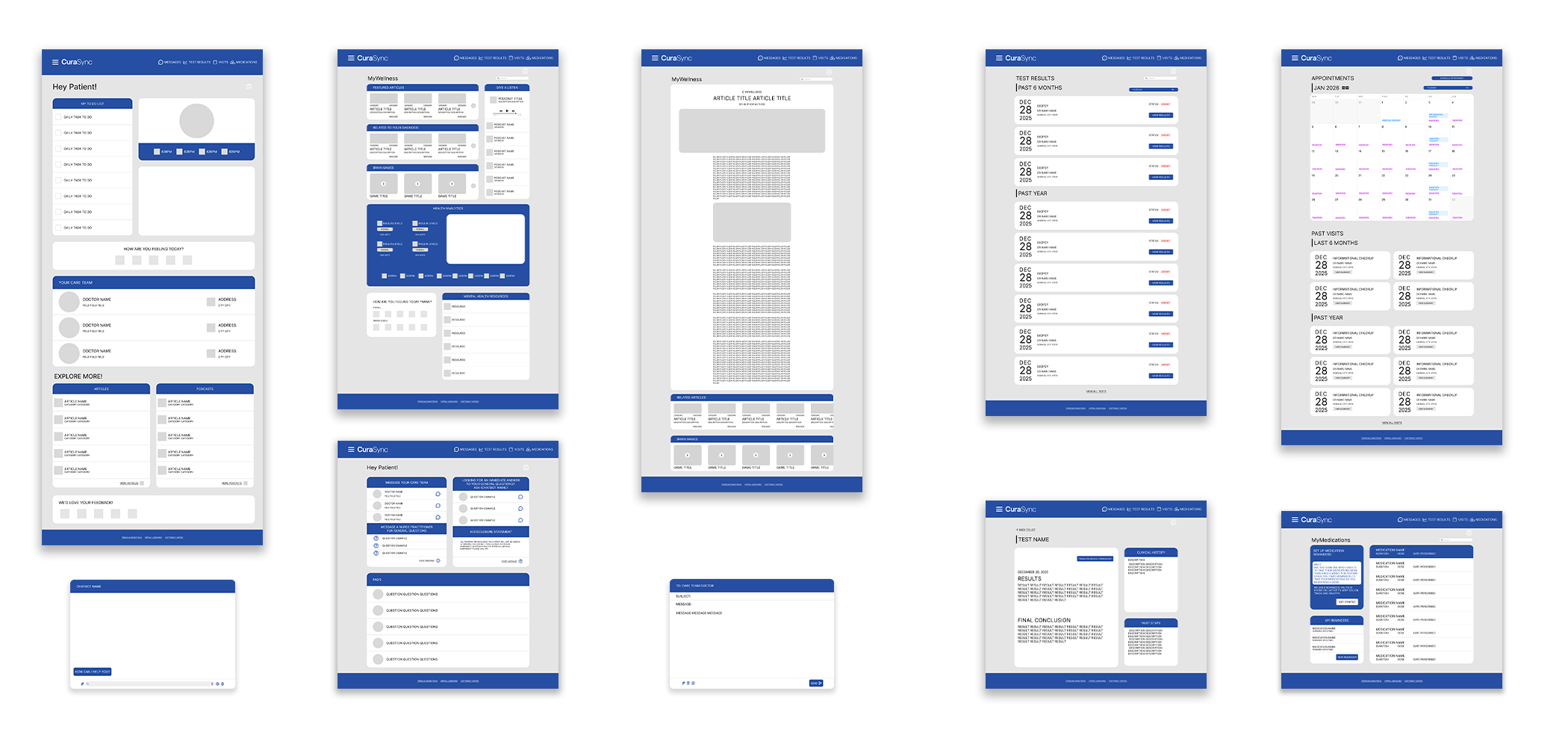
Lo-Fidelity Frames
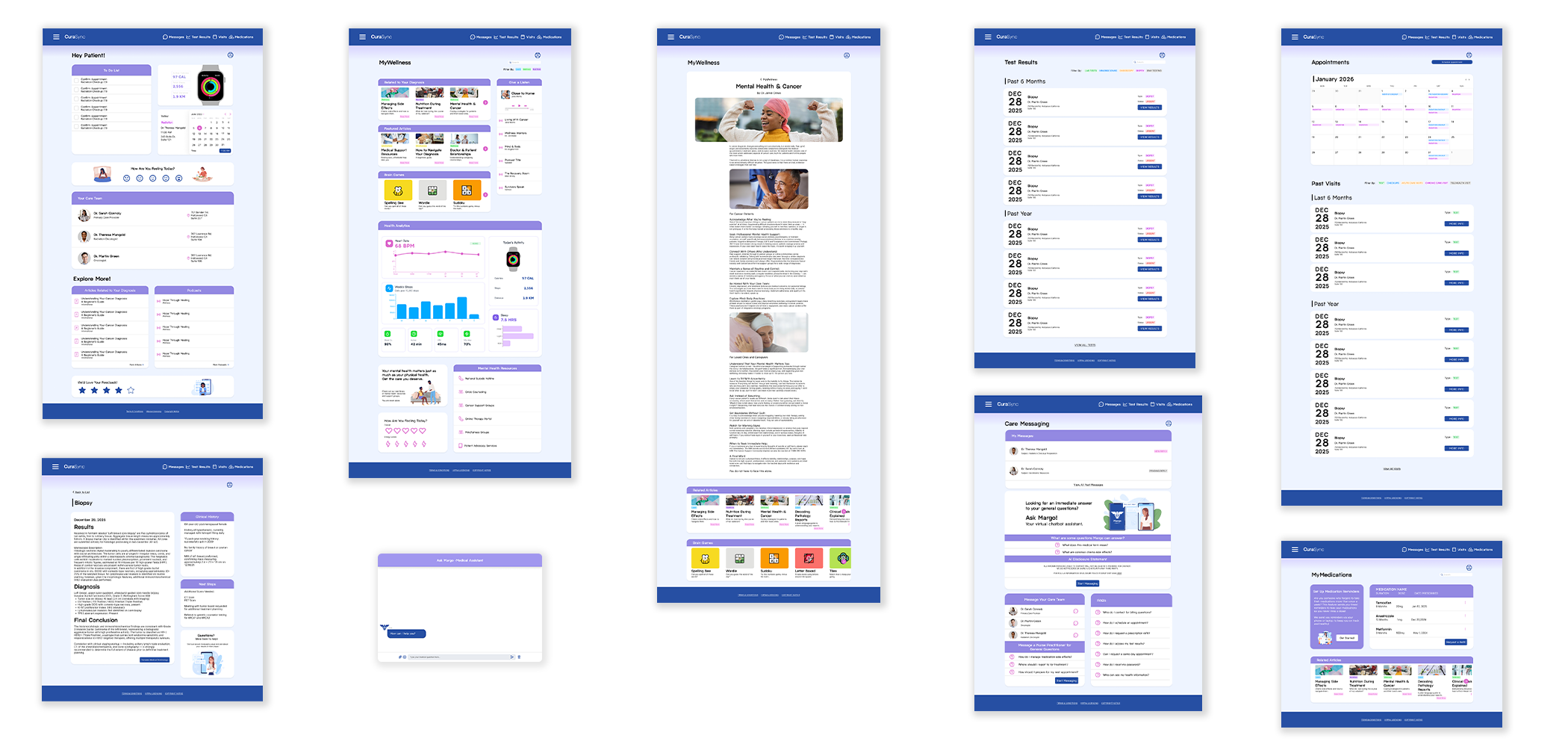
High-Fidelity Frames
Trials & Tribulations
So much to do, so little time!
A general problem that comes with UX work is narrowing your focus onto the features that really matter. This was difficult for me in the beginning. A patient health portal has hundreds of pages of information, so where should I draw the line on designing? A few factors helped me navigate this problem.
First, the human need I am fulfilling with this website: An elevated user experience and a wellness approach to patient care. Secondly, what the user surveys and interviews reflected. What features they reported using most and the advice they had for how to make the experience better.
Layout Revisions
After some previewing, I found that my layout wasn’t optimal. Some cards ended up taking up most of the page and it was a bit overwhelming to look at. So, I decided to switch my thinking and figure out what the specific call to actions for each page and find a way to highlight them in the first frame.
Balance
My biggest roadblock when designing frames was figuring out a sense of balance between designing the site and not distracting from important information.
At first, I found that my website was visually flat, so I implemented more color variation but then started to catch myself over designing the site.
Eventually I decided that the pages with the most important information should be the least designed. In these pages I implemented fewer distracting colors/illustrations, so patients can focus on what really matters; their health information.
Feature Highlights
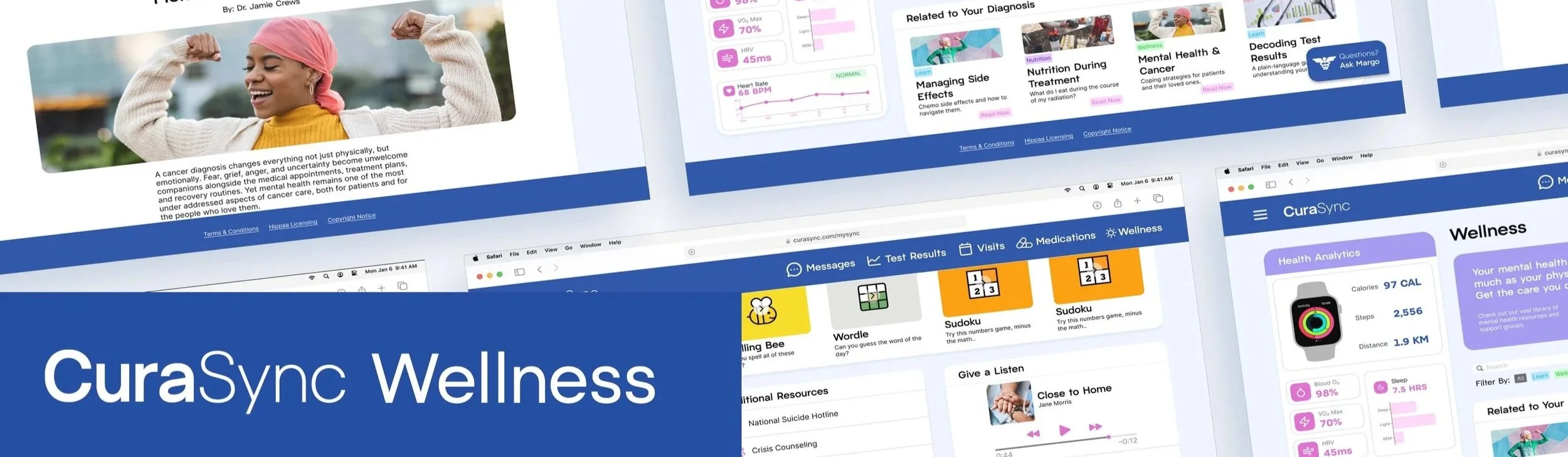
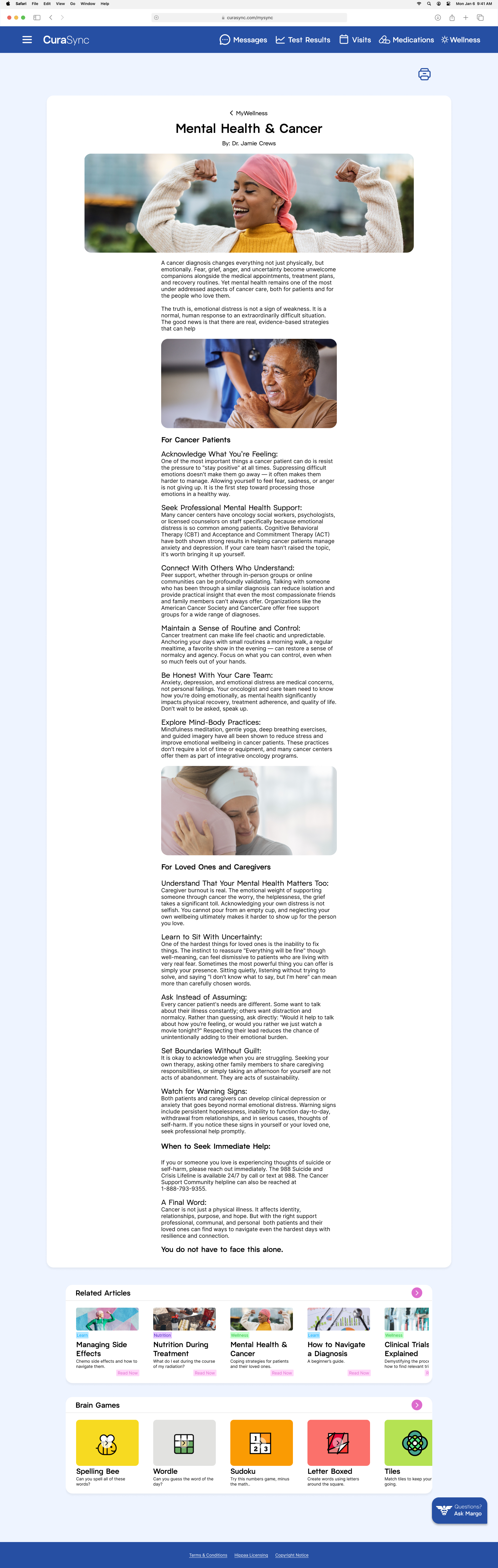
Articles and Mental Health Resources
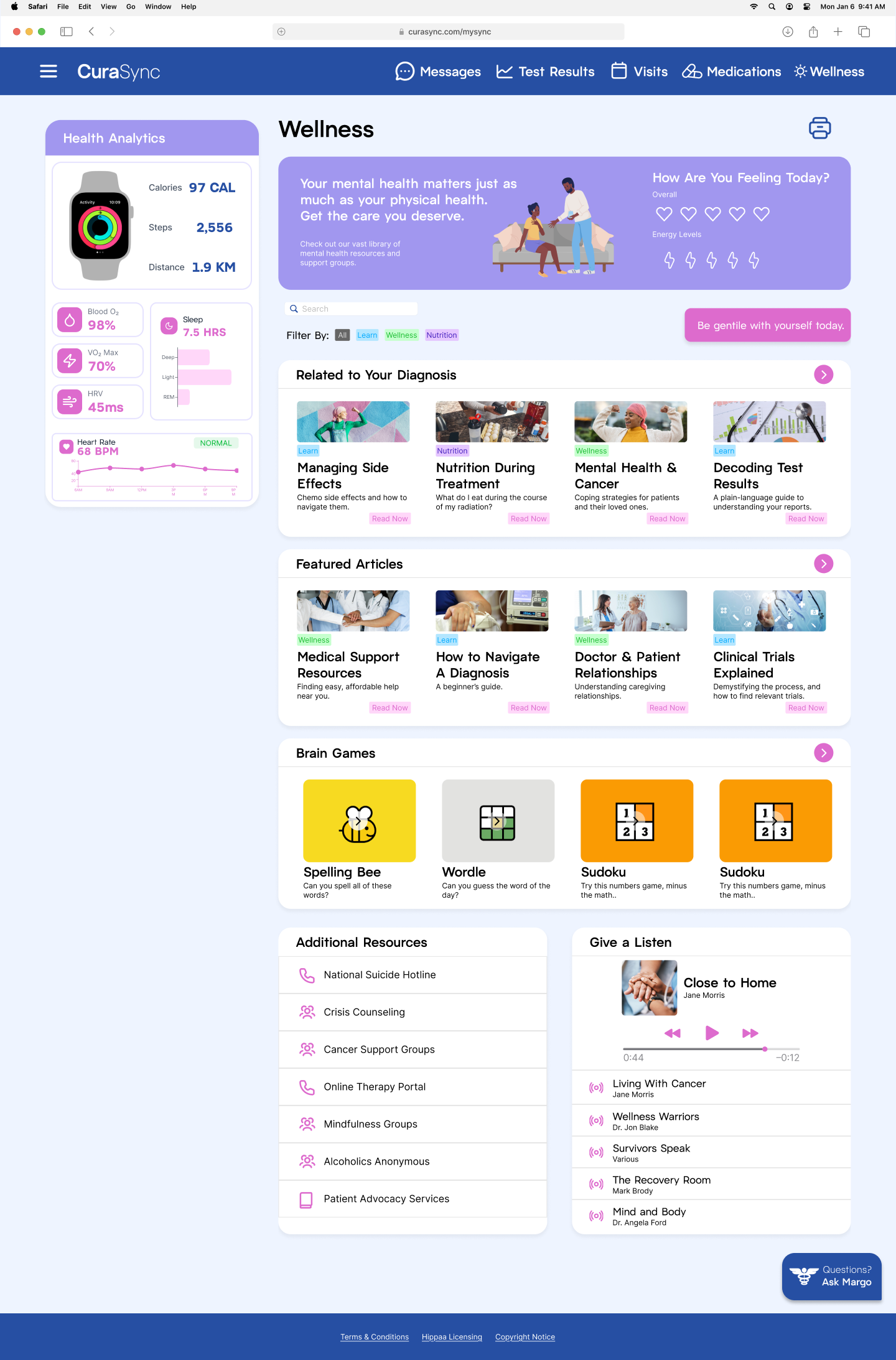
CuraSync takes a very wellness centered approach to patient care. In many health portal competitors, users have a hard time finding informational resources to learn more about their condition or general health. CuraSync tackles that problem with a featured Wellness page.
This page is centered around data and recent diagnoses to offer curated information for patient exploration. It is located in the navigation bar, so users have an easy time accessing all the additional resources and articles they could need.
Apple Watch Connect
CuraSync offers a feature to connect an Apple Watch to the health portal. This could be used to help monitor important vitals in higher risk patients and lets people know if their vitals are within the normal threshold.
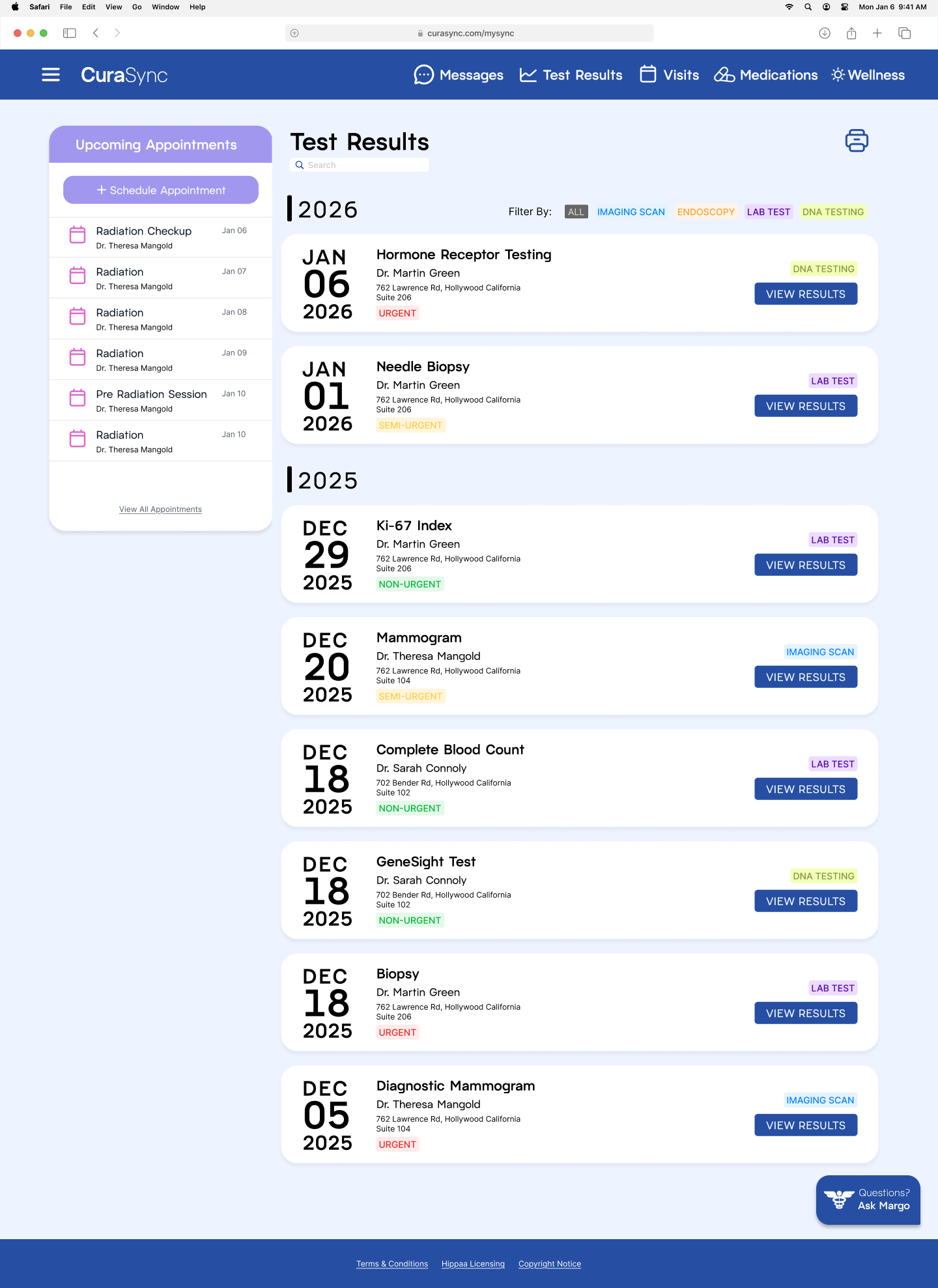
Advanced Filtering System
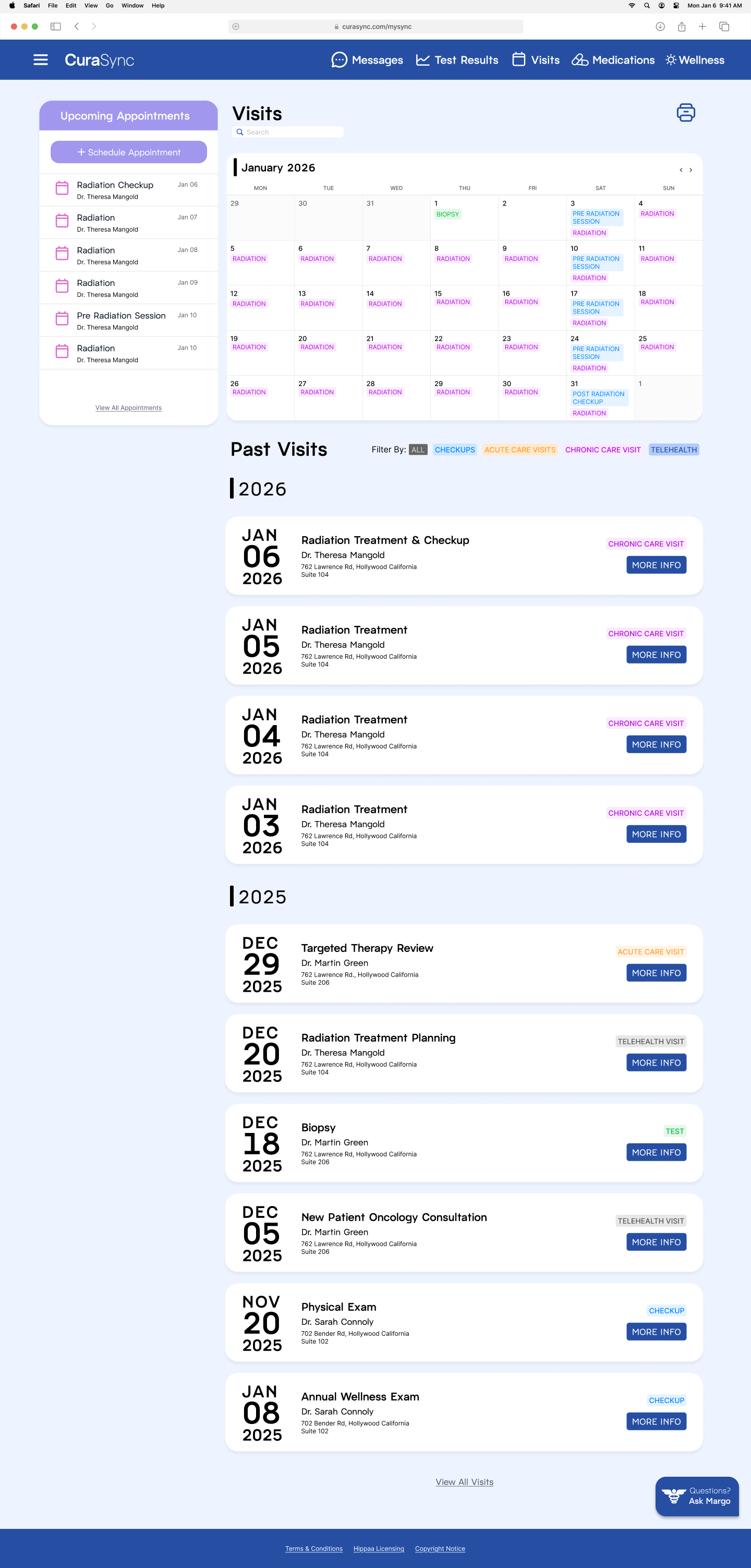
While advanced filtering systems are not new to patient health portals. My user survey showed that patients wanted more specialized filters and search systems regarding not just their appointment history, but also their test results. This feature helps patients who have a bigger medical history with extensive doctors visits spanning longer periods of time.
CuraSync not only offers filters regarding the type of appointment they are looking for, but users are also able to search exact keywords that pertain to the appointment/test they are looking for.
In the test results page, patients are also given tags that indicate how urgent their results are, so they can follow up with doctors as soon as possible.
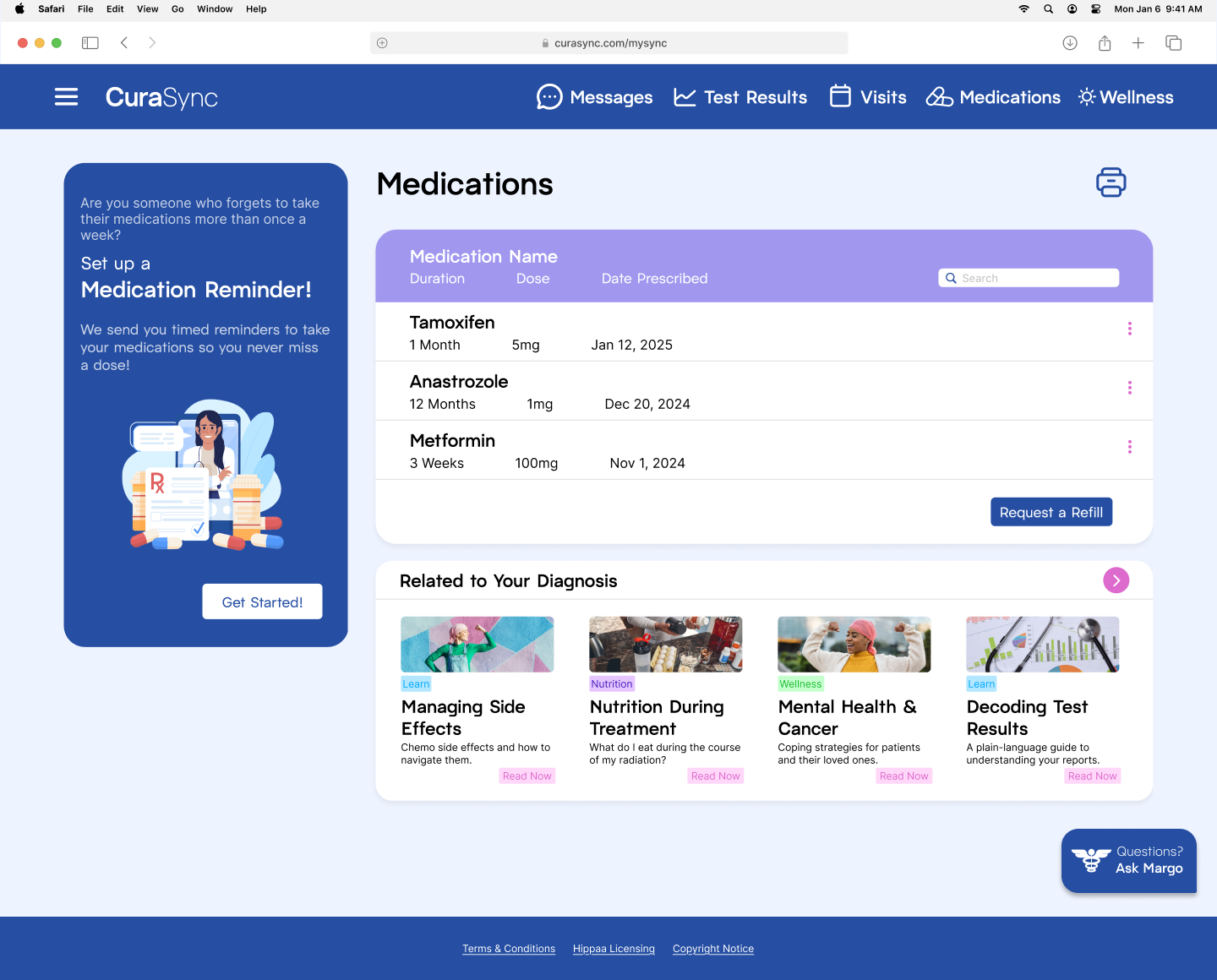
Medication Reminder Feature
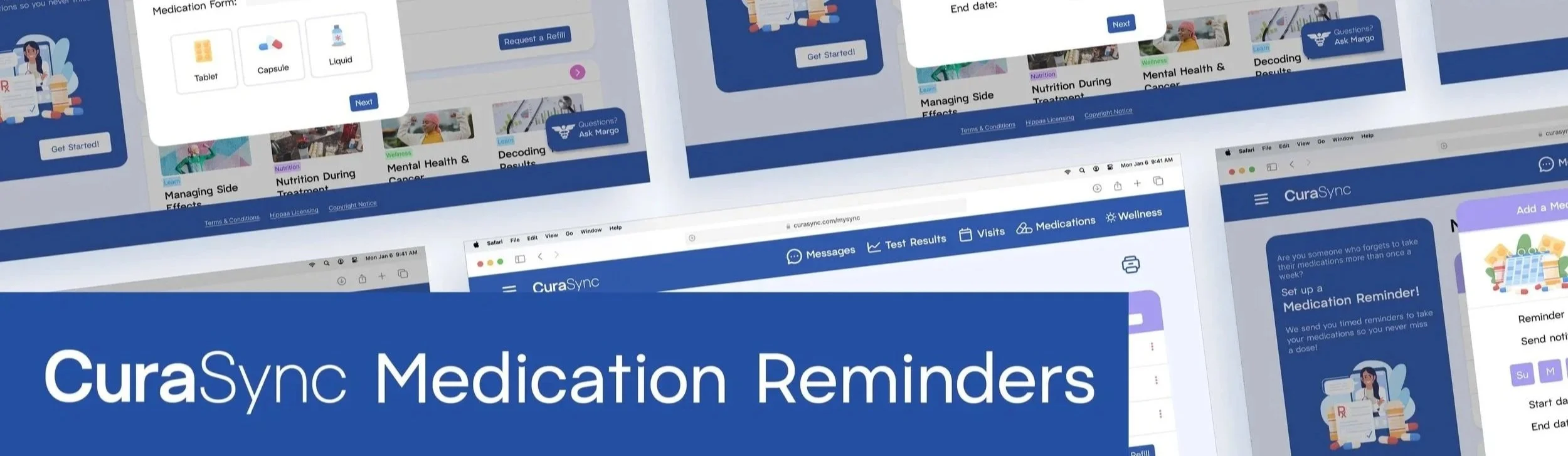
CuraSync recognizes that people have busy schedules. Patients can set up reminders to ping their phone/laptop when it’s time to take their medications. This feature helps alleviate the mental load, especially with patients who have multiple medications in a day or memory problems.
CuraSync AI Features

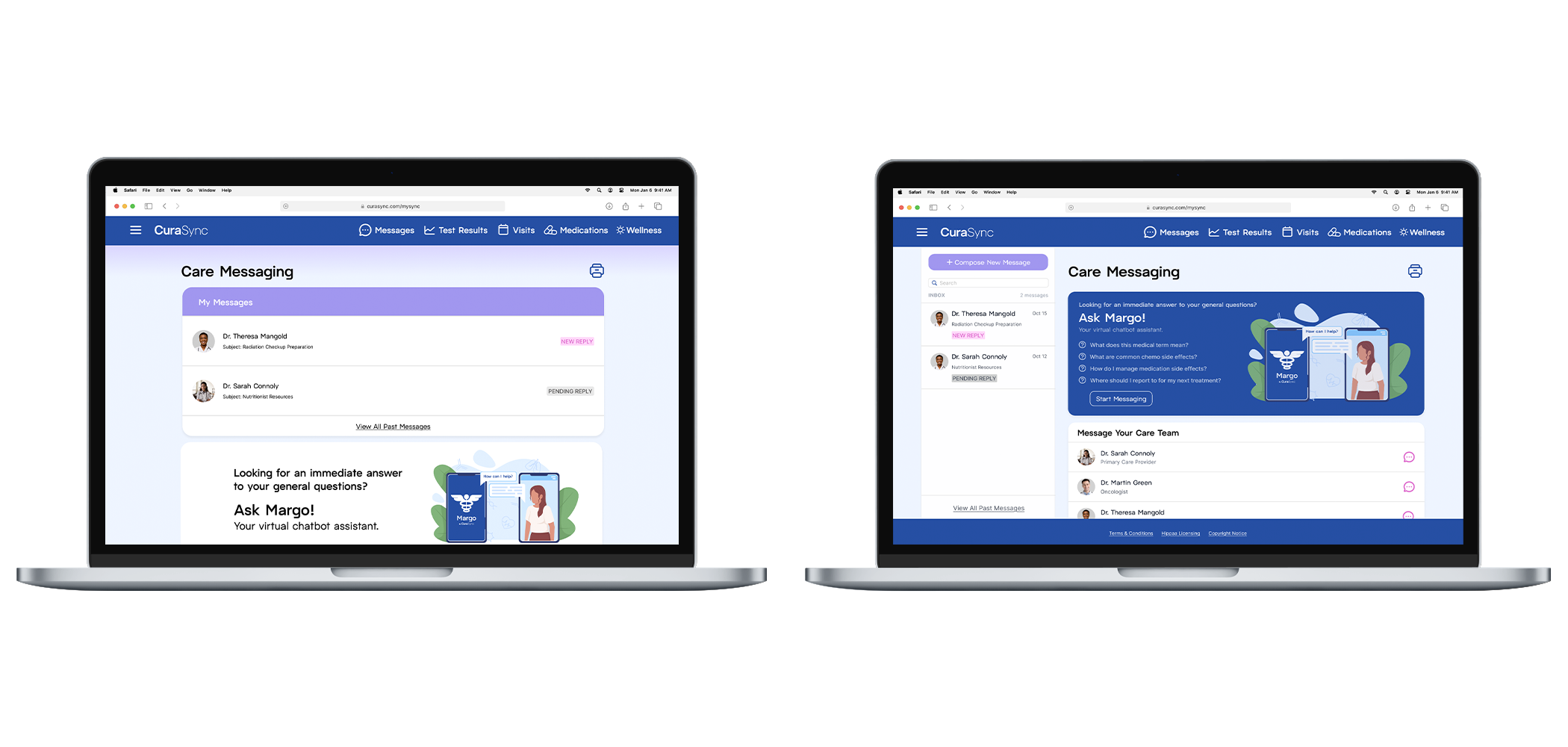
Introducing Margo!
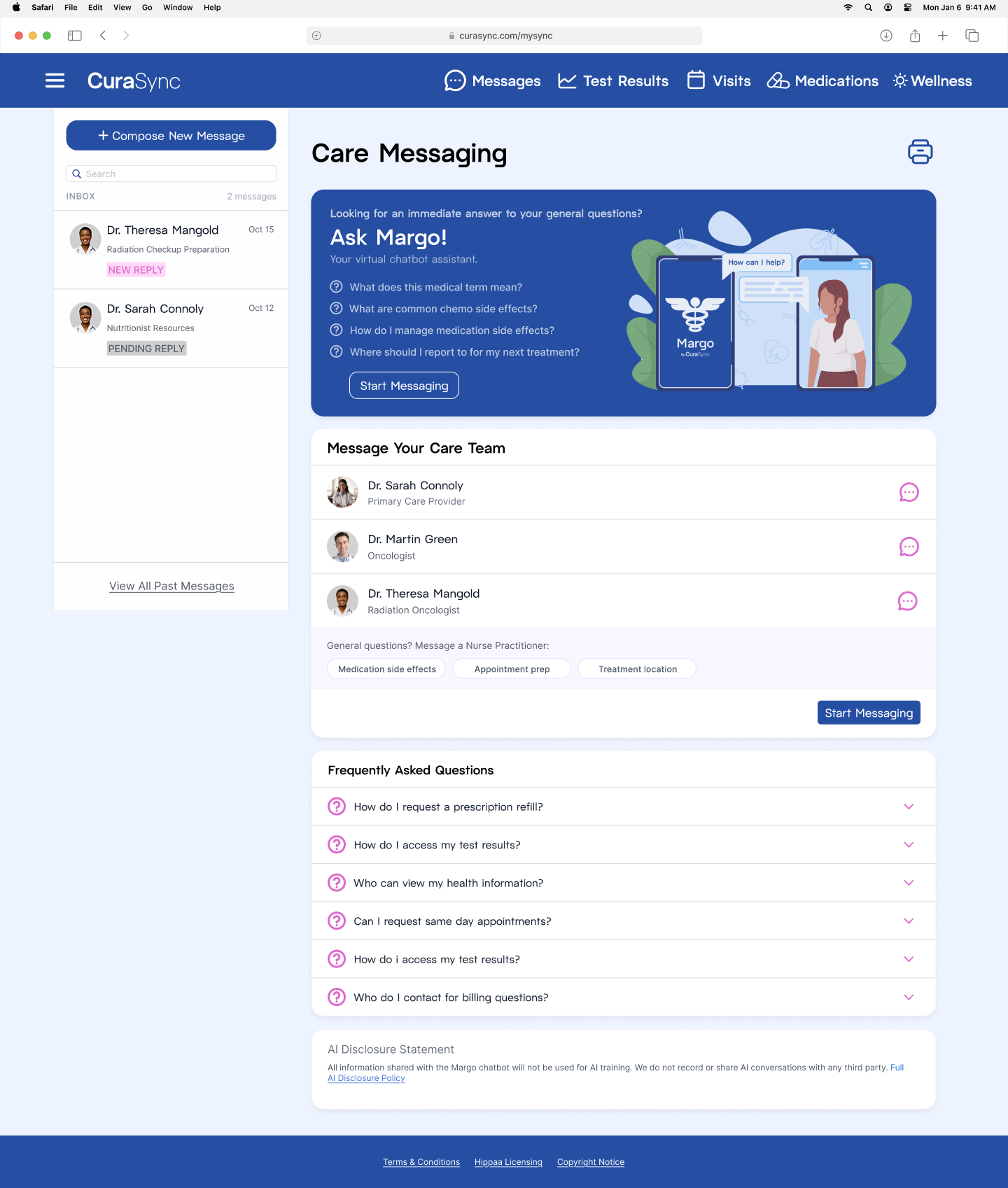
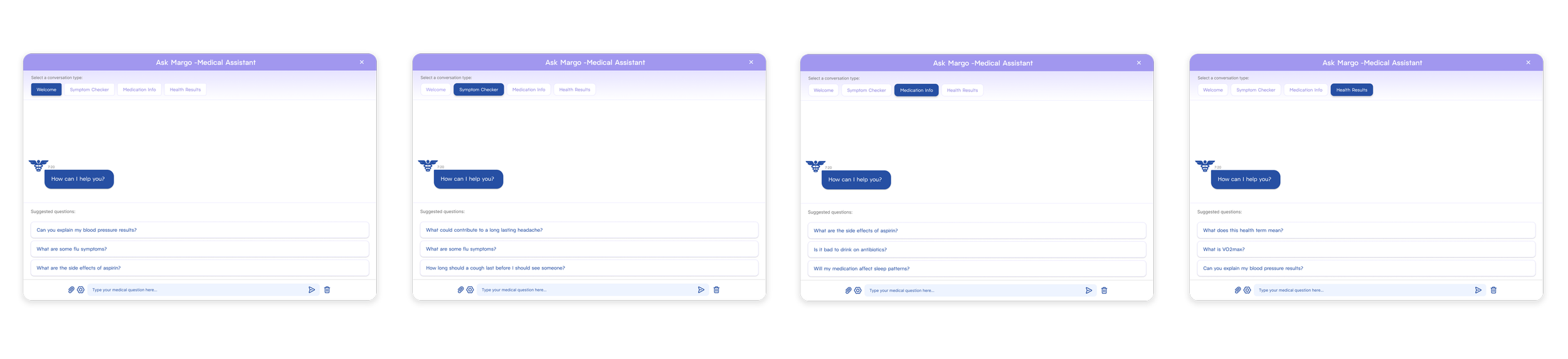
Margo is CuraSync’s medical chatbot assistant. Its purpose is to give quick answers to your general health questions. Margo is great for finding out more information about a specific illness or disease. Questions about common side effects or nutrition are also great to ask.
Security and Usage
To account for usage concerns I created a series of popups that occur before a chat is able to be written. Every chat feature is accompanied by a mandatory popup asking if the question is an emergency and prompting patients to call 911 if necessary.
To account for information security concerns, there is also an AI disclosure statement reading that all information disclosed to the chatbot will not be used in AI training, and no chats will be shared or recorded with any third party.
Background Information
I dealt with possible user prompting issues in two ways:
First, I created a conversation type tab at the top of the chatbot interface to further give the chatbot some context into what the answer should look like.
Finally, for every conversation type there are a series of suggested questions at the bottom for users to choose from. This not only could help make interactions quicker, but also it serves as a reference for the type of open-ended questions that are optimal for asking Margo.
Productive Prompting
To provide the chatbot with some context, I created a popup that asks patients background questions about their medical history that can help lead the chatbot to the best response possible.
I made this an optional feature because I understand some patients are still very wary about AI security and may not feel comfortable disclosing personal information or may just be asking a simple question where background is not needed.
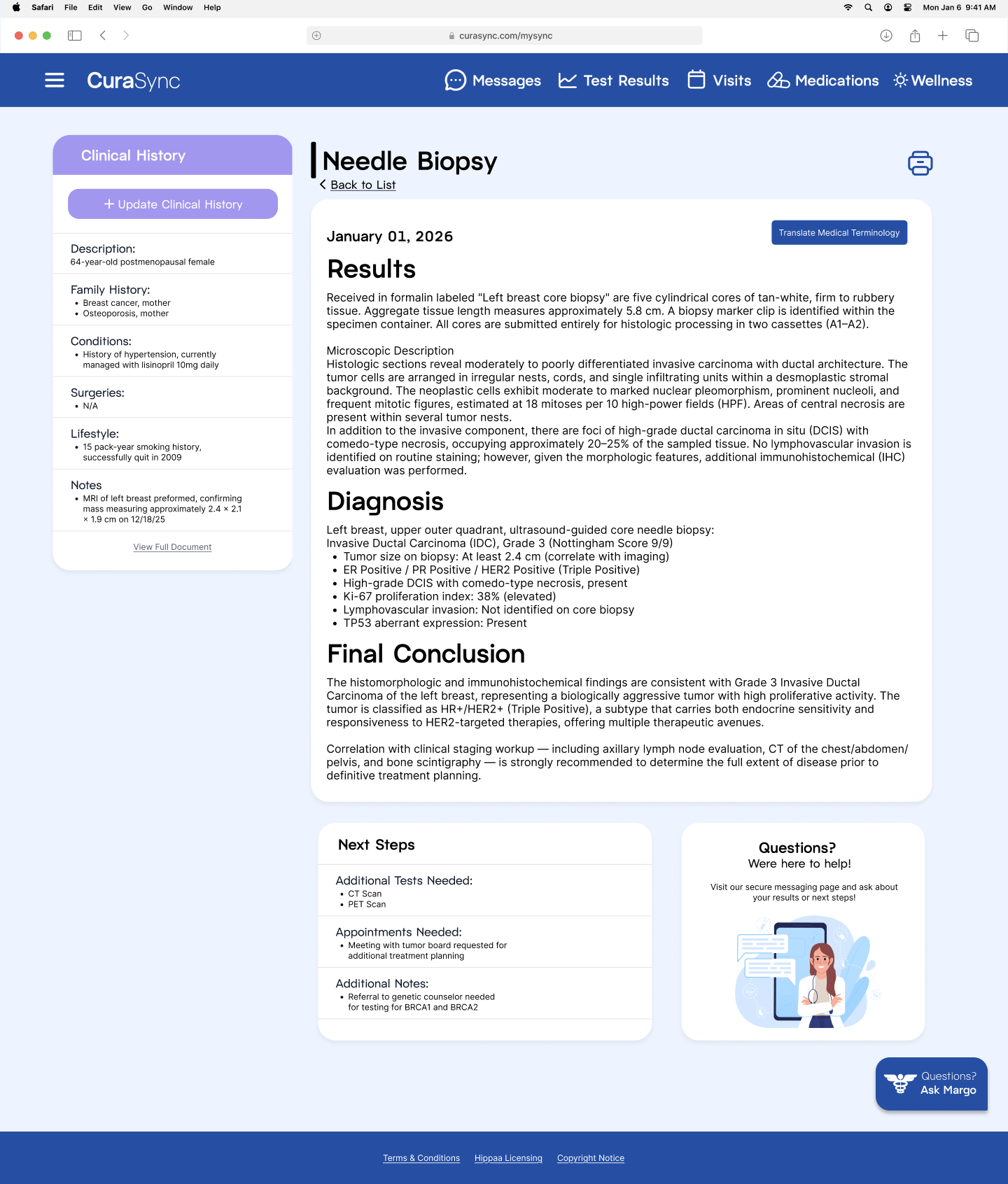
Medical Terminology Translation Feature
One of the biggest painpoints I found in my research was patients not knowing what their diagnosis or test results mean. Many people reported using AI to understand or ‘translate’ their results. CuraSync centralizes this by including a medical terminology translation feature on the test result page for quick understanding of results and patient peace of mind.
Closing Thoughts
I would like to dedicate this project to my mom, who was battling breast cancer for over six months during this project and is now cancer free! She was the conceptual inspiration for CuraSync and its personal wellness features. People who are battling chronic illness are constantly using their health portals, so they should be designed to help patients have the most optimal, well-rounded health journey possible.
My research for this project also helped me learn so much about healthcare systems and how to help loved ones who are dealing with serious ailments. Overall, this project had an immense positive impact on my design process and my knowledge of healthcare as a whole.
Software Used:
Figma
Adobe Illustrator
Adobe Photoshop
Claude Code
Instructor:
Jason Kernevich